Posts

Showing posts with the label sharepoint UX

SharePoint 2010: Branding Step by Step II
Image
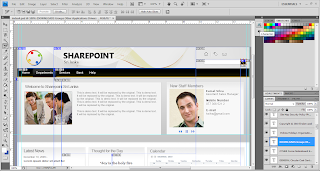
Creating Design Layout Unlike wireframes, Design Layout are intended to be the final branding of the actual SharePoint site. creating Design Layout should include all of the things that make up a the final design, such as logo, colors, fonts, photos, resolution of the website and anything else that will appear on the final web solution. To create a realistic prototype, Microsoft Expression Design and Adobe Photoshop will help. This two design application are ideal. Below figure shows Adobe Photoshop tool used to create the Design Layout To obtain above design layout start with a new blank document. Use the following parameters for the Document as shown in the screenshot below. Before starting your design Layout leave 15px from left and right corners of the blank document for browser compatibility. This will help you at the time you create your Prototype. Now we need to create the top header section of the page. this section, we will have the Sharepoint forum ...
SharePoint 2010: Branding Step by Step I

Image
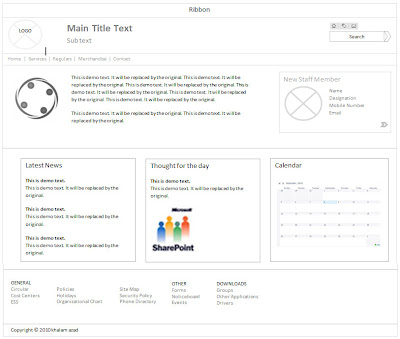
Hi..! SharePoint branding followers, this is step by step branding blogging is to help you people out of SharePoint branding issues. What we will be doing is will do complete branding top to bottom. First identifying a wireframe, building it to Photoshop Realistic Design, Converting Design into Working HTML, CSS and jQuery after that testing in Multiple Browsers and last not least Branding with SharePoint Designer 2010. In SharePoint Designer 2010 we have lots of steps like creating a new master page, page layouts, modifying the CSS and jQuery. Then creating custom themes with the office client, modifying themes in SharePoint Server. Planning site navigation and using non-SharePoint navigation, breadcrumb navigation and site map providers. Ok will start our work right now. Why Plan for Branding? You guy can jump into SharePoint designer and start creating master pages for SharePoint 2010 but in a project environment that will be a mistake. The process of actually creating a brand in a ...

What is SharePoint 2010 Branding?

Image
brand as a "name, term, sign, symbol or design, or a combination of them intended to identify the goods and services of one seller or group of sellers and to differentiate them from those of other sellers. The companies have chosen a marketing identity that enables the public to quickly and easily recognize them. This is branding. When referring to websites, branding usually involves the colors, fonts, logos, and supporting graphics that make up the general look and feel of the website. The objectives that a excellent brand will achieve include: 1. Delivers the message clearly 2. Confirms your credibility 3. Connects your target prospects emotionally 4. Motivates the buyer 5. Concretes User Loyalty Branding for SharePoint Branding for SharePoint is similar to branding for any other sites, except that branding for SharePoint includes the master pages, page layouts, Cascading Style Sheets (CSS), jquery, Web Parts and eXtensible Stylesheet Language Transformations (XSLT) . Basically ...